You spend the majority of your day in your office, five days a week, so your office setting should give you comfort. You can help create a cozy home office by investing in the best office area rugs.
Office area rugs beautify your office space and are a great way to keep your office insulated during cold weather. They can also help absorb the distracting noise of furniture against hardwood as you work.
We have compiled a list of the top five best Space area rugs available. Whether you are looking to get one for the first time or want to replace an old one, you will find what you are looking for in this guide.
The Top Five Best Office Area Rugs
Here are the five best office mats on the market right now.
The SALLOUS chair mat is designed for use on hardwood floors. This rectangular chair mat is made with eco-friendly material to keep it odorless and nontoxic, and it’s thick enough to absorb noise from the chair scraping against hardwood.
The mat uses an anti-slip technology, so it grips onto the floor well. However, it has no adhesive and comes off without any residue on your hardwood when removed. The rug comes in a 47×35 size and is made from plastic.
This mat is best if you have a hardwood floor and need something that sticks firmly in place. Be sure to follow the directions and remove the PP film beneath the mat before use.
The FMVIOL office chair mat is a 55×33 inch rectangular mat made from polyester. It has a 0.16 thickness. This hardwood floor mat is non-adhesive and is wide enough to accommodate any office chair size. In addition, it doesn’t contain toxic chemicals and is eco-friendly.
The FMVIOL office chair mat is the best option if you are looking for a simple hardwood mat that’s easy to clean for your corner home office.
This rectangular office chair mat is made from vinyl, with a measurement of 56×36 inches. The XFasten mat is an anti-slide mat that doesn’t bunch up or buckle against the floor. In addition, the mat has dual machine weave stitching that allows it to stay well-stitched and unfrayed after multiple washes.
The Xfasten office chair mat is the best if you want a mat that can serve many uses. You can place it under your chair, in the center of a room, or under indoor plants or decorations.
Polyester is used to make this best office area mat. The AREIA mat is about 4mm thick and has a galaxy design in combined colors, which really makes a statement. The mat is a large octagonal shape of 47.2×48.2 inches, and it is made from natural rubbers and polyester. This mat also cancels noise and has a rubber foam base to prevent slipping.
The AREIA space computer chair mat is a great choice if you want an eccentric cut or a statement piece for your office or gaming area.
This office chair mat is a rectangular 35×47 inches for hardwood floors, laminate, or ceramic tiles. The mag is made from polyester and comes in several elegant designs to make your office space stand out.
The materials are 100% recyclable, and the surface texture is a soft fabric for easy movement of your office chair as you work. The mat can be cleaned with a vacuum cleaner and can be rolled up easily when you are not using it. It has a thickness of 9mm.
The Anidaroel office chair mat is the best office area rug to get if you want an elegant design that will blend with a bright home office theme.
An office area rug has a way of uplifting and defining your home office space. However, there are various designs, shapes, and materials on the market, so it can get confusing to choose one.
Choosing the best office space rugs requires a few considerations, which we will discuss them below.
Rug Size
Size is a pretty important consideration when getting an office area rug. Some rugs are made specifically for chairs, while others can comfortably accommodate desk legs and a rolling chair. A chair mat should comfortably accommodate the size of your chair and give you enough space to move around in that area. An office area rug for both your desk and a chair should be able to do that while still accommodating your desk.
Make sure you check the measurements on the mats to get the correct size for what you need.
Rug Style
Rugs are about defining your style, so it’s okay to put design aesthetics at the forefront. There are various rug designs and colors to choose from. If you have a commercial home office where you meet business contacts in person, you need to put much more thought into selecting a mat. Your office’s appearance makes an impression.
So, for example, if you are a functional person, the FMVIOL mat may be suitable as it is very simple and easy to clean. On the other hand, if you like an elegant look or floral pattern, the Anidaroel office mats will be a great fit. There are several other commercial office rugs for corporate offices you can choose from.
Rug Material
The material of your rug will affect how comfortable is for your feet. It also determines the most ideal cleaning methods and how long the office mat will last.
More importantly, the material of a rug determines whether it will be able to bear the weight and constant movement of your chair, and in some cases, desk. If you factor in unusual traffic, you will find that the quality of the material is a very important factor.
The best material for a high-traffic area is wool. Wool has a smart appearance, and it’s also soft and warm for insulation from the cold. Besides, if you have a pet that likes to wander into your space, it will make a great resting place. Wool can be expensive, though, so you can opt for polyester, vinyl, or soft fabric.
You should avoid artificial materials, silk, and bamboo silk.
Rug Type
Rugs are made with different techniques, and this may affect their durability and price. For example, machine-made rugs tend to wear faster, so if you are leaning in that direction, it’s usually best to avoid placing them in high-traffic areas. If you are not going to be meeting any customers in your office, and are trying to save money, they’re still worth a look.
Hand-tufted rugs are usually made with handheld machines and last longer than machine-made rugs. Hand-knotted rugs are the most durable and most expensive — the technique used is superior, making it a great choice for heavy traffic areas.
Best Brands
SALLOUS
SALLOUS is a brand on Amazon that sells office items. The brand mostly has office rugs and chair rugs, but it also sells yoga mat holders and desk organizers.
FMVIOL
FMVIOL is an Amazon-exclusive brand that sells office rugs in various designs and sizes.
XFasten
XFasten is a small adhesive product brand that started out in 2015. They offer a wide selection of office, DIY, home, and arts and crafts products.
AREIA
AREIA is a brand that sells office furniture and area rugs online. They have unique area rug designs for gamers, too.
Anidaroel
Anidaroel is a book and stationery brand. They also sell office rugs, embroidery kits, and notepads.
Frequently Asked Questions
Here are some questions people often ask about office area rugs.
How do I care for my rug?
Some rugs for office rooms can be cleaned with a vacuum cleaner or rolled up for washing in a washing machine. However, wool rugs and some high-quality rugs may need a more careful process.
A quality rug needs hand washing twice a year. You can hire professional rug cleaning services to help you. If you want to wash it yourself, be sure to use vegetable soap and water.
If you want to clean a spot, try using club soda.
What is a hand-tufted rug?
A hand-tufted rug is made with handheld tools. The handheld tool is usually used to punch each strand of yarn through an extended canvas. This creates a looped pile that can either be sheared or left intact.
A hand-tufted area rug for the office is usually considerably cheaper than a hand-knotted rug, as the former is much faster to make.
Why is my rug shedding?
Wool rugs naturally shed during the first few months of use. You can help maintain its appearance by keeping the rug trimmed and brushing it regularly.
Also, you should read the care instructions that come with your rug to see if there’s something that can help with the shedding.
Different lower quality rugs also shed. So, if it’s not wool, but it continues to shed despite following the care instructions, the chances are that you invested in a lower-quality rug.
Can I put my area rug on top of a carpet?
Yeah, you can place some area rugs on wall-to-wall carpets. However, there are some rules to ensure that your area rug stays fit on the carpet and doesn’t move in place. First, you should see if the manufacturer specifically states that the rug or mat is for only hardwood floors. If this is the case, it’s best not to place it on the carpet. You can consider it as the best carpet for office space.
You can also try to vary the texture of the two surfaces. For example, if you have plush carpeting, you could put a Berber rug over it. But if you have a looped pile carpet, it might be best to go for a shag area rug. This ensures the room is well blended, which will uplift the overall look.
Final Thoughts about best office area rugs
Office area rugs have become increasingly popular for their ability to protect the floor and perfect your space, and some brands are known for their high-quality chair mats at affordable prices.
So, when choosing yours, consider size, material, and other factors. Most importantly, you should ensure it’s a mat you like and can manage. With proper maintenance, you will be sure to enjoy your office mat for a long time.
Chairs are an integral part of our lives, but for many of us, the wrong chair can do more harm than good to our backs.
Millions of people suffer from back pain, and most will try anything to ease the pain. One standard treatment is using a home chair specifically designed to help with back pain. There are numerous best house chairs for back pain on the market, making it difficult to determine which one is best for you.
From ergonomic designs to versatile multi-taskers, we’ve got you covered! So, if you’re suffering from chronic back pain or simply want to avoid it altogether, this blog post will list five of the best home chairs for back pain. Let’s get into it.
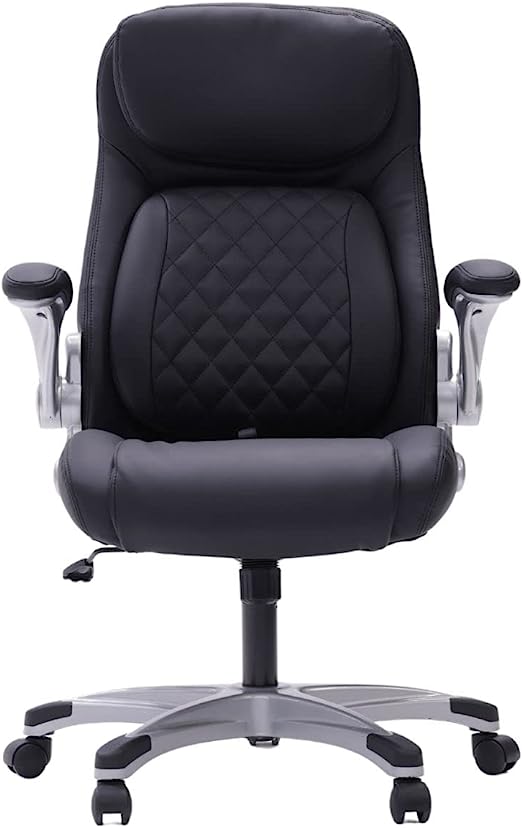
Good posture is essential, whether you’re working from home or in an office. If you’re looking for an ergonomic office chair that provides both style and comfort, look no further than the NOUHAUS +Posture Ergonomic PU Leather Office Chair.
This chair is designed to support your back and help you maintain good posture while sitting. The Click5 Lumbar Support provides adjustable lumbar support, while the FlipAdjust Armrests let you customize the armrest height and position.
Plus, the modern design of this executive chair makes it a great addition to any workspace. Since it’s a computer desk chair, it’s perfect for those who work at a desk all day.
Features
Click-5 lumbar support
FlipAdjust Armrests to create a task chair with arms, no arms, or somewhere in the middle
Heavy duty Nylon Wheelbase
It weighs a sturdy 40.8 lb
The NOUHAUS +Posture Ergonomic PU Leather Office Chair is our top pick because it is a modern executive chair designed with your comfort in mind.
Looking for a stylish, comfortable office chair that won’t break the bank? Look no further than the Amazon Basics Classic Puresoft Padded Mid-Back Office Computer Desk Chair.
This affordable, high-quality chair is upholstered in durable Puresoft polyurethane, which is perfect for withstanding the wear of daily use.
It features a pneumatic seat-height adjustment mechanism, so you can always find the perfect position. It comes with a KD metal frame and dual-wheel casters for easy maneuverability.
Suppose you’re seeking to spruce up your home office or need a reliable chair for your professional workspace. In that case, the Amazon Basics Classic Puresoft Padded Mid-Back Office Computer Desk Chair is an excellent option with a sleek design that will add a touch of style to any workspace.
Features
Upholstered in durable Puresoft polyurethane
Pneumatic seat-height adjustment
275-pound maximum weight capacity
The Amazon Basics Classic Puresoft Padded Mid-Back Office Computer Desk Chair is one of our top picks because it is sturdy and affordable.
If you are looking for a high-quality, heavy-duty office chair to support your back and make you comfortable, look no further than the OFIKA Home Office Chair.
This ergonomic chair features a high back cushion and lumbar support to help prevent back pain, making it the best choice for those who have to sit at a desk all day. The big and tall design also makes it ideal for those who are taller or larger than average, since the adjustable seat and armrests can accommodate any size.
The OFIKA Home Office Chair’s main feature is that it is covered in exquisite leather, making it comfortable yet elegant. So, if you’re looking for a long-lasting, comfy, and attractive executive office chair, the OFIKA Home Office Chair is a great option.
Features
Ergonomic High Back Cushion Lumbar Back Support
Heavy-duty nylon wheelbase
4 inches of height adjustment and 360-degree rolling wheels
Double padded foam seat cushion and a padded armrest
The OFIKA Home office chair is one of our top picks because it has luxurious leather and excellent back support.
If you are looking for a comfortable, sturdy office chair that can accommodate a bigger frame, look no further than the Powerstone Big & Tall 500lb Office Chair.
This chair features a heavy-duty metal base, an ergonomic design & a high spring package seat, making it perfect for those who need extra back support. The large bonded leather seat is both comfortable and stylish, and the ergonomic design ensures that you’ll be able to sit in this chair for hours without feeling uncomfortable.
The swivel feature makes it easy to move around your desk while you’re working. So, if you’re looking for an office chair that can provide both comfort and style, the Powerstone Back Big & Tall 500lb is the perfect choice for lasting comfort and support.
Heavy-duty metal base
Sturdy swivel nylon wheels
Adjustable seating height & angle
Large seating cushion
The Powerstone Big &Tall 500lb Chair is one of our top picks because it is durable and offers great support for the back.
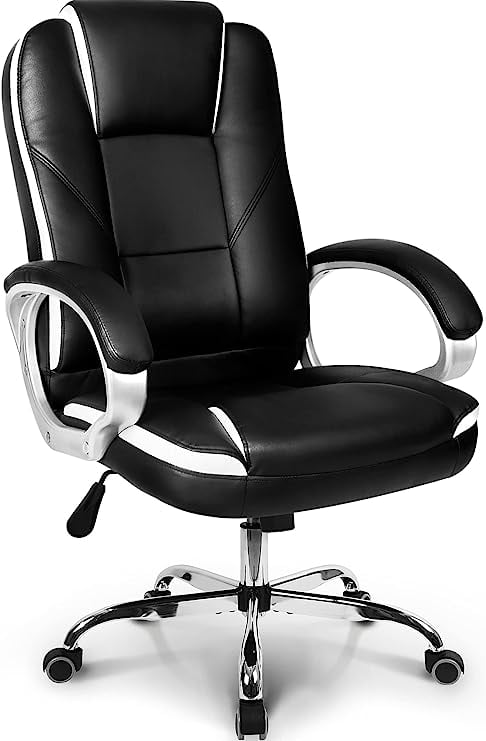
The Neo Chair is a perfect addition to any home office or gaming setup. This ergonomic chair provides maximum comfort and support, while the stylish black leather and racing-inspired design make it a real showstopper.
The high back and cushioned seat are perfect for long days working at a desk or gaming, while the lumbar support ensures your back stays comfortable and supported.
The chair also features adjustable height and tilt to find the perfect position for your needs. Thanks to the smooth-rolling wheels, you can easily move around your workspace without getting up.
So, if you’re considering a stylish and comfortable office chair that will help you stay productive all day, this might just be the perfect chair for you.
Features
Caster wheels on Class-A sturdy nylon office chair roll freely
Base is made of heavy-duty metal
High-quality premium faux leather chair
Armrests include a comfortable premium leather pad
Factors to Consider When Picking Out the Leading Home Chairs for Back Pain
There are several factors to consider when shopping for chairs that will help improve your back pain, some of which include:
Type of Chair You Need
The first factor to consider is what type of chair you need. Do you need a gaming chair, an office chair, or a general-purpose chair?
Each type of chair has different features that may or may not be beneficial for your back pain. For example, an office chair will generally have more adjustability options than a gaming chair. This means you can adjust the office chair to better fit your body and provide more support for your back.
On the other hand, a gaming chair is designed to be more comfortable for long periods of time. So if you spend a lot of time gaming, a gaming chair may be a better option for you.
Ergonomics
While working, an ergonomic chair provides enough support for the lower back. If not properly supported, the lower back (lumbar) bends inward, causing slouching. As a result, the lower back is stressed, which can lead to osteoporosis and other disorders.
The natural curve of your spine should be supported by a well-designed chair. Choose a chair with adjustable lumbar support and a deep enough seat to allow you to lean back against it.
Ergonomically designed chairs are created to reduce strain on your body and improve your posture. This means that they can help to reduce or eliminate back pain.
When looking for an ergonomic chair, pay attention to the adjustability options. The more adjustable the chair is, the better it will be able to fit your body and provide support where you need it most.
The backrest should also be able to support your spine’s natural curve while keeping your head in a neutral position. Find a chair that is supportive of your low back, buttocks, thighs, upper back, and shoulders.
Comfort
Comfort is another important factor to consider when choosing a chair to help with back pain. You want to find a chair that is comfortable to sit in for long periods of time.
If you’re going to be sitting in the chair for long periods of time, you may also want to look for a chair with lumbar support. Lumbar support helps to take pressure off of your lower back and can improve your posture.
Each person’s body is unique, with varied dimensions, heights, and degrees of spinal curvature. So just because a chair is ergonomically developed doesn’t imply it’s ergonomically appropriate for you.
When it comes to back support, seek a chair that offers a lot of comfort. Ensure that the chair of your choice adapts to your body or has an appropriate depth of cushioning. People should choose a tougher chair over a softer one if they will be sitting in it for an extended period of time, and the padding on a softer chair will wear out faster.
Adjustability
Adjustability is another important factor to consider when choosing a chair to help with back pain. You want to find a chair that you can adjust to fit your body and provide the support you need.
The more adjustable the chair is, the better it will be able to provide support for your back. Adjustable features include things like seat height, armrests, lumbar support, headrests, and backrests.
If you can’t find a chair with all of the adjustable features you want, look for a chair that has at least seat height and lumbar support adjustability. These two features are the most important for providing back pain relief.
Armrests
Armrests are vital to check for when buying a chair for back pain sufferers. They not only provide comfort for your elbows, but also for the upper back and shoulders.
Armrests can help to take pressure off of your shoulders and neck. If you work at a desk, having armrests on your chair can help you maintain good posture by keeping your shoulders in alignment with your hips.
If you don’t have armrests on your chair, you may find yourself slouching or hunching forward, which can put a strain on your back.
When looking for a chair with armrests, make sure that the armrests are adjustable. This way, you can adjust them to fit your body and provide the support you need.
If at all possible, the armrests should be retractable to conserve space. To maintain a comfortable position, the armrests should also be adjustable.
Footrests
For proper sitting posture, the feet should be flat on the ground or on an elevated platform like an ottoman. These flat surfaces will help to support your weight while also relieving strain on your hips and back.
If your feet can’t reach the ground, a footrest or ottoman might help fill in the space. Even if your feet are able to touch the ground while seated, an additional footrest will provide extra comfort and may be suitable for various furniture sets.
Materials
The material of the chair also plays an important role in comfort. Leather and mesh chairs are good for air circulation to keep you cool, while fabric upholstery is more common and may be more comfortable for some people.
Some chairs have a combination of materials, such as leather on the seat and mesh on the backrest. There are also chairs with a mix of hard and soft materials, such as wood and fabric. Consider what will work best for you in terms of comfort and style.
Price
Don’t forget to consider your budget when choosing home chairs for back pain. While you may want to choose the cheapest option, remember that this is an investment in your health. Choose a chair that falls within your budget and offers features that will meet your needs.
Adjustable Angles
Contrary to popular opinion, an ergonomic chair ought not to be set at a 90-degree angle.
In a news release, researcher Waseem Amir Bashir, MBChB, a clinical fellow in the department of radiology and diagnostic imaging at the University of Alberta Hospital, Canada, says, “A 135-degree body-thigh sitting posture was demonstrated to be the best biomechanical sitting position, as opposed to a 90-degree posture, which most people consider normal.”
It’s critical to sit in a good anatomic position since the strain placed on the spine and its accompanying ligaments over time can lead to pain, deformity, and chronic sickness.
Wheelbase
The wheelbase of an office chair is important because it helps you move around your workstation without having to get up and reposition yourself. This is especially helpful if you have a large monitor that needs to be moved from one side of your desk to the other.
Some chairs have a five-point base, which offers more stability, while others have a four-point base. The five-point base is more common because it’s less likely to tip over.
Size
When you’re looking for an office chair, size matters. You need to make sure that the chair is big enough to comfortably support your body, but not so big that it takes up too much space in your home or office.
Some chairs have a weight limit, so be sure to check the specs before you buy. You don’t want to end up with a chair that’s too small or too big for you. I highly recommend investing in the best chair for back pain relief at home, as it can significantly improve your comfort and productivity while working or relaxing.
Style
Office chairs come in a variety of styles, from traditional to modern. Choose a style that fits your personal taste and the decor of your home or office.
There are also a variety of colors to choose from, so you can be sure to find a chair that matches your personality.
Benefits of Using the Best Home Chairs for Back Pain
If you work in an office and spend most of your day sitting in a chair, you can avoid lower back pain and keep your posture straight by using an ergonomic chair with lower back support. The following are some of the benefits of using the best home chairs for back pain:
Ergonomic office chairs keep you alert and ready to take on your responsibilities.
Ergonomic office chairs are designed with lumbar back support, spine protection, and comfort. They can prevent back pain, neck pain, and circulation problems.
Sitting in an ergonomic office chair can prevent improper digestion. Bad posture can damage your gastrointestinal system and metabolism over time. An ergonomic chair enables you to maintain an appropriate posture and allows your internal organs to work correctly.
Sitting in an ergonomic office chair can boost endorphin levels. Ensure optimal posture at your workstation by utilizing an ergonomic chair. Good posture can enhance your productivity, health, and happiness while boosting your confidence and self-esteem.
The spine is responsible for the support of the entire body. It’s what helps you to stay upright and maintain your equilibrium. The spine is also the body’s core pillar, holding all internal organs in place and allowing blood to circulate throughout the body.
How to Maintain a Proper Sitting Posture
Finding the ideal chair is only the beginning. You must ensure that you are positioned correctly, i.e., ergonomically. That involves changing the chair’s height and, if necessary, adding a footrest or additional lumbar support. Except for the natural bend of your lower back, your spine should be straight.
Additionally, you should adjust the top of your computer screen to roughly level with your eyes. You’ll have a lot of neck strain if you don’t because you’re looking down. Raising your PC can also help you sit more upright.
Using your PC while sitting on a sofa, for example, may not be advisable for extended periods because it’s impossible to raise the screen high enough to avoid extending your neck.
People are increasingly considering alternatives to the traditional upright sitting position. Good sitting, standing, declining sitting (hips higher than knees), and inclined sitting are the four different computer workstation positions listed by the US Occupational Safety and Health Administration (torso leaning back).
If you are having back pain when sitting and moving your chair isn’t helping, try a different posture. It is critical to consider what posture you can work in to prevent you from experiencing pain.
Home Exercises That Can Help Relieve Back Pain
You might believe that resting will make the pain go away. It’s the polar opposite. The best medicine is movement. Muscles can tense as a result of inactivity, creating tremendous pain.
So, as much as the pain allows, be active and continue to your regular schedule. Try the following exercises to target the afflicted areas and reduce your lower back discomfort.
Knee-to-Chest Exercise
Place the feet flat on the floor while still lying in the same position. Keep your left foot in place while bringing your right knee to your chest. Hold it for 15 to 30 seconds before lowering it again. Repeat the process with the other leg. With each leg, do two to four repetitions.
Tilting of the Pelvis
Draw in your stomach like you’re dragging your belly button towards your back. Hold for ten seconds while breathing normally. Do between eight and twelve pelvic tilts.
Back Extensions Using a Press
Place your elbows directly under the shoulders and your hands flat on the ground as you roll over to your stomach. Lift your shoulders away from the floor by pressing down on your hands. Keep your hands in this posture for a few seconds. Repeat the process between eight and twelve more times.
Stretches for the Hips
Kneel on your left knee and step forward with your right foot, your right knee bent. Pull up your left foot to your buttocks and hold for ten seconds. Replace the left leg and repeat the exercise. Stretch the hips for eight to twelve minutes on each side.
Bird Dog
Begin by getting on your hands and knees, shoulder and hip-width apart. Maintain a straight back and strong abdominal muscles. Lift your right leg, straighten it behind you, and hold it there for five seconds before lowering it. Repeat on the opposite side. Repeat the process for each leg eight to twelve times.
Press-up Extensions for the Back
Place your elbows under your shoulders and your hands flat on the ground as you roll over to your stomach. Lift your shoulders away from the floor by pressing down on your hands. Keep your hands in this posture for a few seconds. Repeat eight to twelve more times.
Sit Against the Wall
Stand a foot away from a wall with your back and heels facing away from the wall. Lean your back against the wall flatly and glide down until your knees are slightly bent.
Gently press your low back against the wall and sit there for ten seconds before sliding back up the wall. Repeat the process between eight and twelve more times.
Best Home Chairs for Back Pain: FAQs
What are the Benefits of Having a Back-supporting Chair?
If the spine isn’t effectively supported while sitting, you’ll find yourself in positions that put additional strain on the discs and stretch your tissues.
Muscle shortening in the front of the hips, chest, pectoral area, and back of the neck and loss of strength in the gluteals, mid-back, and neck flexor muscles can result in muscle imbalances and postural alterations over time.
In other words, poor sitting posture hurts the back and affects the body—and not in a good way. Anyone who spends a lot of time at their desk, especially with back problems, should invest in the best home office chairs for back pain.
What Other Steps Can Be Taken to Avoid Back Pain During the Workday?
Moving throughout the day is the greatest method to avoid back pain. Because the human body is intended to move, it’s necessary to get up and walk around every now and then, no matter how comfortable your chair is.
Taking a break by occasionally getting up from your chair, walking around, and stretching are the greatest ways to avoid back pain during the day.
It’s also a good idea to reserve your office desk for work only, not for lunch breaks. It is also recommended that you have a dedicated workplace if you work from home. This will encourage you to take a healthy amount of breaks throughout the day.
The right ergonomic office chair, combined with walking breaks, allows you to position your body in different ways. This is so much better for you than sitting at a desk for eight hours.
What Materials Are the Most Supportive in Office Chairs?
The best home office chairs for back pain have material that is sturdy enough to support the body while still providing sufficient give or padding for comfort. It also helps if the material is porous, allowing the person sitting in the chair to maintain a comfortable body temperature. Mesh, leather, and cloth are the most popular materials that suit these requirements.
Some people prefer chairs made from natural materials, such as wood or wicker, while others prefer chairs made from synthetic materials, such as plastic or metal. There are also a variety of upholstery options available, so be sure to choose a material that you find comfortable.
Is Lumbar Support Beneficial?
No matter what chair style you’re in, lumbar (lower back) support is good since it helps keep the body balanced and maintains the natural inward curvature of the lower spine.
You can use an adequately rolled towel to add lumbar support if you can’t find a chair with proper lumbar support, or if your chair doesn’t have any.
As you vary your position (whether you want to recline or lean forward to get a better view of your screen), make sure to adjust the office chair and lumbar support to keep you and your back comfortable.
Can a Chair Cause Lower Back Pain?
Unfortunately, poor posture and sitting in a chair that doesn’t support the back can cause lower back pain.
When you sit, gravity pulls down on your spine, which can flatten the natural curve of your lower back. This can cause the muscles and ligaments in your back to become strained.
If you have poor posture, your head is also likely to tilt forward. This can cause the muscles in your back and neck to become tense and sore.
To avoid these problems, it’s important to sit up straight and choose a chair that provides good lumbar support. You should also take breaks from sitting throughout the day and stretch your back and neck muscles regularly.
How Do I Prevent Back Pain When Sitting All Day?
There are a few things you can do to prevent back pain when sitting all day:
1. Use a supportive office chair that is comfortable and adjustable.
2. Get up and move around regularly to keep your muscles from getting too tense.
3. Take breaks often to stretch your body and give yourself a chance to move around.
4. Make sure your workstation is set up ergonomically so that you’re not putting unnecessary strain on your body.
5. Practice good posture and avoid slouching in your chair.
Does an Ergonomic Chair Help Back Pain?
An ergonomic chair can help reduce back pain by providing support for the spine and promoting good posture. These chairs are designed to minimize strain on the muscles and joints, and they can be adjusted to fit each individual’s body.
If you’re looking for an ergonomic chair that is also the best home office chair for back pain, be sure to choose one that is comfortable and adjustable. Additionally, the best chairs for back pain at home, require you to take frequent breaks to stretch and move around, even if you are using an ergonomic chair.
Which is the right chair for me?
Image
Product Info
Shop
9.7
NOUHAUS+ Posture Ergonomic PU Leather Office ChairBest Overall
When it comes to getting the best chairs for lower back pain at home, there are a few key features you’ll want to look out for. First and foremost, make sure the chair has good lumbar support. This is going to help your spine stay in alignment as you sit.
You should also consider whether or not the chair has adjustable armrests and a height-adjustable seat. If it does, that’s great! Adjusting these features will help ensure that you find a comfortable position to sit in.
Our favorite pick for the best home office chairs for back pain is the NOUHAUS +Posture Ergonomic PU Leather Office Chair. It has great lumbar support, adjustable armrests, and a height-adjustable seat. This chair has everything you need to support your back and maintain good posture while sitting.
Top Pick
Our Favorite!
Our favorite pick for the best home office chairs for back pain is the NOUHAUS +Posture Ergonomic PU Leather Office Chair. It has great lumbar support, adjustable armrests, and a height-adjustable seat. This chair has everything you need to support your back and maintain good posture while sitting.
Dual monitor setups make life easier for gamers, web developers, and remote workers who process a lot of information on their computers. You can have a more detailed view of your screen and avoid mistakes with two or more monitors.
However, to use dual monitors, you need an appropriate desk. This guide has reviewed five of the best desk for dual monitors. It will help you decide on the best option for you.
Want to See Everything at Once? Here are Our Top Picks:
Foxemart’s computer desk is a 47-inch sturdy desk that can hold two monitors and other accessories. The desk is made with simple, engineered wood with adjustable leg pads, steel brackets, and a triangular junction design.
The design makes it easy to support heavy weights stably. Foxemart’s computer desk ticks many boxes for dual monitors, including versatility, high-quality materials, durability, and ease of assembly.
This dual monitor desk is simple and useful for someone who works from home. It is cheap and has the durability to last. What makes this desk appealing is the simple design which makes it easy to use and quick to assemble.
The biggest downside is its 47-inch width, leaving little room for accessories after two monitors.
ODK Computer Writing Desk has some of the best user reviews over multiple platforms, and there are plenty of reasons for it. A first glance at the desk reveals a stylish design, no matter the color you choose.
You’ll usually find color options including vintage, black, teal, walnut, espresso gray, deep brown, and various shades of white. They all make for a striking aesthetic with sizes varying from 31 to 63 inches.
ODX Computer Writing Desk is great if you work from home and are looking for an inexpensive desk. The surface is large enough to accommodate two monitors and the necessary accessories. There is also a very useful multifunction storage bag.
There are occasional complaints about scratches from shipping, but most are inconsequential.
This desk is one of the most versatile dual monitor desks you can buy. The design makes it easy to use in the office and at home. Its versatility comes in the ample space it provides and the three storage drawers found below. The classic Sauder Edge Water Computer Desk model has a chalked chestnut finish, but there are options for auburn cherry and estate black finishes.
The Sauder Edge Water Computer Desk is useful for a myriad of purposes. The desk has enough surface space to hold two monitors and their accessories. In addition, it has three drawers for storage. It has a modern design, and many use it as a bedroom desk or for studying.
The Bestier L-Shaped Desk is among the most highly rated gaming computer desks. The desk has everything you could look for in a dual monitor desk, from a great shape and ample legroom to its use of high-quality materials.
It comes in minimalist colors like oak, brown, grey, and rustic brown. Its design is preferred by gamers who require large surface space and plenty of legroom. This desk can be positioned in a corner or the middle of a room and works well with different styles of chairs. Overall, it is one of the best desks for dual monitors.
The Bestier L Shaped Desk is the dream of every gamer, web developer, or work-from-home employee. The counter space easily accommodates two or more monitors and accessories. Two people could conceivably share the space without disturbing each other. This table has great reviews on every platform, and the few negatives are usually related to shipping.
OUTFINE’s desk is excellent for remote work and studying. Its surface is large but is even more optimized with the accompanying monitor stands. You can place your monitors on the stands and save the true surface of the counter for accessories like your keyboard and mouse.
It also features a small storage drawer and three open shelves where you can keep books, speakers, and other items. The material is high-quality wood with either a brown or black finish
OUTFINE’s desk is a minimalist’s idea of work-from-home bliss. The monitor stands and the space optimization they allow are some of the reasons many people love this desk.
The extra space provided by the drawer and shelves is the icing on the cake. Despite the shelves, there is still enough legroom that even taller users will be comfortable.
Things to Know Before You Buy Best Counter for Dual Monitors
Before buying a dual monitor, you should be sure that you have done good research. When shopping for the best table for multiple monitors, you will see many options and have to decide what best suits your needs. This means that you have to consider various external and internal factors such as available space, the size of the desk, and the implications on your health. Here are some things to consider before buying the best desk for a dual laptop setup:
Size
One of the first things you should think about is the size of the counter you want to buy. Dual desks usually come within the 47 to 95-inch range. There are several options in-between. You have to consider the space you want to put the table in before deciding on the size.
If you have limited space, you could buy a sturdy 47-inch desk that can hold a lot of items. If you have more room to play with, you can look at bigger, more comfortable options.
You must remember that bigger desks tend to be costlier than smaller ones. If you have a minimal budget, you may settle for a smaller counter than you prefer. There are other reasons a table might be pricey, but the size is a primary factor.
Style
Desks come in different styles and designs. They all have different sizes, colors, aesthetics, features, and so on. For many people, the decision mainly hinges on shape and functionality. For instance, you’ll have to choose between I or L-shaped desks. Both styles work fine for dual monitors, but some prefer one over the other.
I-shaped desks are great if you have a simple chair and don’t like to move around much while working. For more mobility, some people go for L-shaped desks. These types are mostly gamers who use ergonomic chairs and like to swivel around as they tend to a chatroom while streaming games.
Another major style decision is between standing and sitting desks. Sitting desks are common and are the first choice for many people who use dual monitors. However, some prefer standing desks for long work hours. As a compromise, you may go for a desk with built-in height adjustment. This will give you the option to either sit or stand.
Material
Many people don’t think about the quality of material when shopping for a desk. Often, you have many options to choose from, and they are all good. The most common materials are wood, metal, and plastic. Any will work fine if you do not have a particular preference. If you do, however, it pays to check on the material before making any payments.
Vendors on reputable platforms will indicate the materials used in the desk’s construction. Check reviews for issues with stability, since you don’t want to buy a desk that will collapse under the weight of your monitors. You may also want to consider the sturdiness of a wooden or plastic desk if you plan on putting a lot on it.
Assembly
Most desks are sold in parts with an assembly manual. Since you will have to assemble the parts yourself, you should look into the ease of assembly before buying a counter. All manufacturers will tell you that their products are easy to assemble, but this is not always so. Check the reviews to see if their claims are true.
When assembling a new table, you will see that some only require you to stick the legs to a flat surface, and that’s it. Meanwhile, others will require you to hammer in all the nails yourself. This is where DIY skills can come in handy. If you are not good at these sorts of tasks, you can hire a professional to come and build it for you. This will cost extra, but it is money well spent.
Cable Management
Using dual monitors means connecting both to other accessories such as a keyboard tray, mouse, and more. All of these connections require extra cables unless you have a wireless setup. If you do not, opt for a desk with good cable management. Your dual monitor desk should have holes for cables to be fed through.
To prevent tangling or damage, you can use these gaps to gather connectivity cables, cords, or other wires. A desk with good cable management will keep your workspace tidy and improve productivity.
Other Things to Note
Aside from the major considerations listed above, there are a few minor details to consider before purchasing a dual-monitor computer table. These include legroom, additional storage, monitor stands, presets, and other features that can affect how much you’ll enjoy your counter.
You can also invest in accessories like anti-fatigue mats, plants, speakers, and an ergonomic mouse to help boost productivity. Finally, you should consider the best arrangement for your health.
Frequently Asked Questions about best desk for dual monitors
What size desk do I need for two monitors?
The smallest dual monitor desks are usually about 47 inches wide. However, for utmost comfort, you may opt for a width of 55 inches. This size will let you situate your two monitors comfortably, add some accessories, or just enjoy the free space.
If you want more room for books, pens, and other objects on your workspace, you should go for 60 inches and above. The most important thing for a multi-monitor setup is to be sure that your table is sturdy enough to carry the load without collapsing.
How do I arrange dual monitors on my desk?
The purpose of using dual monitors is to make your work easier. You should arrange dual monitors on your table to give you optimal support for your work and health.
It is best to arrange the monitors in a semicircle to have the best view of both at the same time. You can tweak this arrangement slightly if you use one monitor more than the other.
What type of counter is best for dual monitors?
When purchasing a desk for dual monitors, you will find many different options. Common types include regular desks, L-shaped desks, standing desks, adjustable standing desks, etc. These desks work well if you know how to optimize their use. However, many gamers, web developers, and remote workers have confessed their preference for L-shaped desks.
L-shaped desks are very comfortable and allow for a wide range of motion. They can be situated in corners or in the middle of a room. At workplaces, L-shaped desks can, at times, serve more than one user.
Best Desk for Dual Monitors
Foxemart Computer Desk 47 Inch
The Foxemart computer desk is a 47-inch simple dual monitor counter you can use at home or in your office. The simple design makes it easy to focus on your work without distraction. What makes this one of the best desks for dual monitors is its sturdiness. The table can capably hold two monitors and heavier pieces like lamps.
ODX Computer Writing Desk 47 inch
This computer table combines aesthetics with functionality. The ODX Computer Writing Desk has a simple design that allows you ample surface space, a storage bag, and tons of legroom. Its style also makes it appropriate at home as well as in the office. Capping it all off is the ease of assembly, negating the need for a professional to help set it up.
Sauder Edge Water Computer Desk
A Sauder Edge Water Computer Desk is a strong option for home use. The three storage drawers have contributed to many buyers selecting this table. They’ll help you keep your things organized and they look great in office setups.
Bestier L Shaped Desk 95.2 Inch
Bestier’s L Shaped Desk is one of the most popular desks for dual monitors. The desk has everything you’re looking for. The first feature is the large surface space that can comfortably hold two or three monitors and all that that entails. The design also makes it possible to turn the L-Shaped gaming desk into a long I-shaped desk for two or more people to sit side-by-side. Additional features like USB sockets and cable holes are just cherries on top.
Outfine Counter
An Outfine desk is great for freeing up space for items other than your monitors. The distinct feature of this table is the monitor stand. In addition, there is a small drawer for storage and three open shelves for things like books, files, and other office supplies. Many people go for this counter in response to its clever design, boasting a sharp appearance and plenty of storage options.
Final Thoughts
Using dual monitors enhances your ability to process information and complete tasks. You can make it even easier if you invest in a good desk to house your monitors well. We have reviewed five of the best desks for dual monitors for you, from the Foxemart 47-inch computer desk to Bestier’s 95.2-inch L-shaped desk.
Of course, there are more options on the market, but these five excel in unique ways that have made them bestsellers. You can get any of them at a reasonable price. Once you’re all set up, follow expert advice and position the monitors well away from your eyes.
The past couple of years have been tough for many people. The pandemic forced millions of office workers to suddenly start working from home, and the transition hasn’t been easy for everyone.
To work effectively from home, you need to choose from the best laptops for working from home. A great keyboard and a trackpad are also a must to handle all your work tasks quickly and efficiently.
This blog post will discuss some of the best laptops to work from home options available today. Whether you need a powerful workhorse or a lightweight laptop that is easy to transport, we have something for everyone.
So, without further ado, let’s get started! Here are our picks forthebest laptops to work from home in 2023.
Rundown Of The Best Laptops to Work from Home for 2023
The selected laptops are the best in the market, and they will provide you with the necessary tools to get your work done from home without any issues; they are also highly rated by customers.
Reviews of Our Top Picks Best Laptops to Work from Home
The Apple MacBook Air Laptop is one of the best work-from-home laptops. Its design and overall size make it very portable to take. Its battery life is incredible, meaning you can realistically get a full day’s work done without having to worry about recharging.
Additionally, this laptop’s retina display is one of the best on the market, providing clear and sharp visuals perfect for creative work. Finally, the performance of this laptop is impressive, making it more than capable of handling demanding tasks.
The Apple MacBook Air Laptop is an excellent choice for anyone looking for a work-from-home laptop that ticks all the right boxes.
One of the best work-from-home laptops for 2022 is the Apple MacBook Pro. This computer has a large retina display that is perfect for working on spreadsheets or presentations.
The trackpad is also larger than most, making it easy to navigate documents. In addition, the MacBook Pro has several features that make it ideal for working from home.
For example, the laptop includes a built-in webcam and microphone. This makes it the perfect laptop if you need to participate in video conferences. The keyboard is backlit, making it ideal for use in darker rooms.
The battery life is impressive, so you can stay productive even when there’s no outlet nearby. If you’re looking for a laptop that will help you be productive at home, the MacBook Pro is a great option.
Features
13.3-inch retina display
Equipped with an AMD Radeon Pro 5000M series graphics card
The Dell XPS 13 9310 is one of Dell’s newest laptops, and it’s a beauty. It’s light, portable, and has a very sleek design. The screen is 13.4 inches, and the resolution is 1920 x 1200.
The display is also edge-to-edge, so space is used efficiently. The laptop’s body is made from aluminum, and the keyboard is backlit. There are two USB-C ports, a microSD card reader, and a headphone jack.
The battery life is excellent, with up to 20 hours on a full charge. The only downside is that the laptop doesn’t come with an Ethernet port, so you’ll need to use Wi-Fi if you want to connect to the internet.
Overall, the XPS 13 9310 is an excellent choice for anyone looking for a new laptop. It is powerful yet portable, has a great display, and comes with all the features you need.
Business users have long favored Lenovo ThinkPad laptops for power, security, and durability, but in recent years, the ThinkPad has become increasingly popular with consumers.
Here are just a few of the reasons why the Lenovo ThinkPad is one of the best laptops on the market:
First and foremost, the ThinkPad is built to last. These laptops feature a robust design that can withstand the rigors of everyday use.
From spills and drops to bumps and bruises, the ThinkPad can take a beating and keep on going. It is also loaded with features that make it ideal for both work and play.
Whether you need to stay connected while on the go or you want to enjoy your favorite movies and TV shows, the ThinkPad has you covered. With its long-lasting battery life, you can keep going all day long without worrying about finding a power outlet.
Finally, the ThinkPad offers unbeatable value for your money. You’ll find that these laptops are very competitively priced, especially when you consider all of the features and benefits.
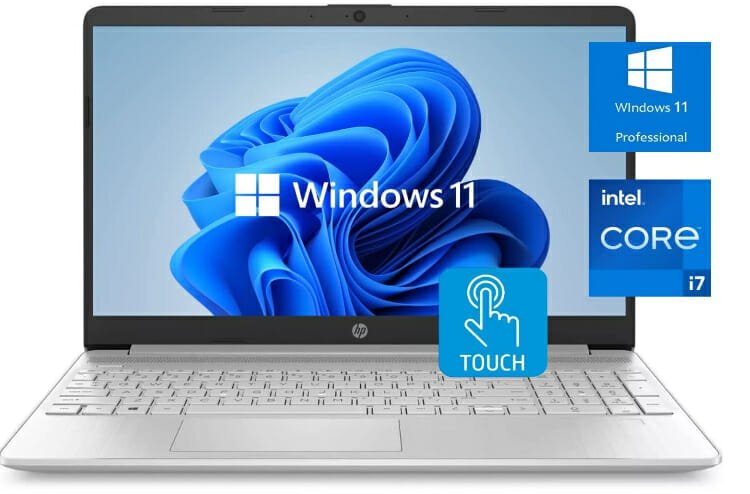
The HP 15t Business Laptop is one of the newest laptops on the market, and it is already being hailed as one of the best laptops for 2022. This laptop comes with many features that make it ideal for businesses and students alike.
It has a large 15.6-inch touch screen for starters, perfect for presentations or working on large projects. It also has a powerful Intel Core i5 processor and 16GB of RAM, ensuring smooth and fast operation.
It comes with a 256GB solid-state drive which provides plenty of storage space for all your documents and files. In terms of connectivity, this laptop includes Wi-Fi 6 and Bluetooth 5.0, which ensures you can always stay connected to the internet and other devices.
Finally, it comes with a long-lasting battery that provides up to 12 hours of use on a single charge. Overall, the HP 15t Business Laptop is an excellent option for a powerful and reliable laptop that won’t break the bank.
Features
15.60-inch display
16GB of RAM
Intel Core i56-10720U Processor
Windows 11 Pro operating system
512 GB SSD storage space
Features include Wi-Fi 6, Bluetooth, HDMI, and USB Type-C
LED-backlit display.
Full-size keyboard with a numeric keypad and a touchpad
Variety of ports and connections, including HDMI, USB 3.0, and RJ-45
Overall, the HP 15t Business Laptop is an excellent option for a powerful and reliable laptop that won’t break the bank.
Factors to Consider when Buying the Best Laptops to Work from Home
When you are looking for the best laptop for your needs, there are a few factors you need to consider.
Type of Laptop You Need
The first factor to consider is the type of laptop you need. There are three main types of laptops: business, gaming, and Ultrabooks. Business laptops are usually thinner and lighter than other laptops, and they often come with features like fingerprint scanners and backlit keyboards.
Gaming laptops are designed for gamers, and they often come with high-end specs like a powerful processor and a large display. Ultrabooks are similar to business laptops, but they are even thinner and lighter.
Processor
A laptop’s processor is one of the most important factors to consider when choosing a work-from-home laptop. A processor is responsible for carrying out instructions from a computer program. It can single-handedly make or break your work-from-home experience.
If you work with large files or run resource-intensive programs, you need a powerful processor to handle demanding tasks. On the other hand, if you only use your laptop for basic tasks such as browsing the internet and checking email, you can get away with a less powerful processor.
When it comes to processors, there are two main types: integrated and dedicated. Integrated processors are built into the motherboard of the laptop and share resources with other components, such as the graphics card. This makes them more affordable but also less potent than dedicated processors.
On the other hand, dedicated processors have their cooling systems and are not limited by other components. This makes them more expensive but more powerful. When choosing a work-from-home laptop, consider what kind of tasks you’ll be using it for and select a processor that can handle those tasks.
Storage Space
One of the most important factors to consider when choosing a work-from-home laptop is storage space. After all, if you’re working remotely, you’ll need to have a reliable way to store all of your files and documents.
A laptop with a small amount of storage space will quickly fill up, leaving you no room for new files. Likewise, a laptop with too much storage space will be more expensive than one with just the right amount.
Look for a laptop with an internal hard drive that offers at least 500GB of storage space to strike the perfect balance. This will give you plenty of room to store your files without breaking the bank.
Connectivity
Connectivity is also a crucial factor to consider. After all, if your laptop is not connected to the internet, you will not be able to do your work. There are a few different options for connectivity, and each has its advantages and disadvantages.
Ethernet is one of the most reliable connectivity methods, but it can be slower than other options. WiFi is a popular choice for many people, as it is generally fast and easy to set up.
However, WiFi can be unreliable, and it is also possible for others to access your network if they are within range. Finally, cellular data is becoming more common to connect to the internet.
This option is often more expensive than others, but it can be speedy and unaffected by poor weather conditions. When choosing a laptop for working from home, carefully consider which type of connectivity will best meet your needs.
Battery Life
Many people who work from home find that they need a laptop with good battery life. After all, there are often times when power outlets are not readily available, and it is essential to have a reliable laptop to last throughout the day.
Battery life is also an important consideration when traveling for work. If you are going to be relying on your laptop for work purposes, you will want to make sure that it can last through a long flight or train ride.
Fortunately, several laptops on the market offer excellent battery life. When choosing a work-from-home laptop, consider the battery life as one of the most critical factors.
Budget
When it comes to budget laptops, you should keep a few things in mind. First, don’t assume that the cheapest option will be the worst. There are plenty of good laptops available for a reasonable price.
Second, remember that you often get what you pay for. If you’re looking for a laptop that will last for several years, it’s worth getting a durable and robust model.
Size and Weight
A laptop that is too large can be cumbersome to use, making it difficult to work efficiently. Conversely, a too-small laptop can be easily lost or stolen. The ideal size for a work-from-home laptop is between these two extremes.
Another factor to consider is the weight of the laptop. A heavier laptop can be challenging to carry around, making it less convenient. On the other hand, a lighter laptop may not have the same processing power or memory capacity as a heavier one.
Ultimately, the best laptop for working from home strikes the perfect balance between size, weight, and performance.
Warranty
When choosing a laptop, it is essential to consider the warranty. A laptop is a significant investment, and you want to make sure that your purchase is protected in case of any problems.
Be sure to read the fine print of any warranty before making your purchase. Some contracts may only cover certain types of damage, while others may not cover accidents.
Furthermore, some warranties may only be valid for a certain period. Make sure you understand the warranty terms before making your purchase to ensure that you get the coverage you need.
Reviews
Finally, be sure to read reviews before making your purchase. Reviews can be a great way to learn about the pros and cons of a particular laptop.
Keep in mind, however, that not all reviews are created equal. Some people may be biased towards a specific brand or model, while others may have had a bad experience with customer service.
Take the time to read a variety of reviews before making your decision. This will help you better understand which laptop is right for you.
Keyboard and Trackpad
It is essential to have a laptop with a comfortable keyboard and trackpad when working from home. After all, you will be spending a lot of time typing on your laptop, so you want to make sure the keyboard is comfortable.
The same can be said for the trackpad. A good trackpad should be responsive and easy to use. If you find yourself constantly frustrated with your laptop’s keyboard or trackpad, it may be time to consider a different model.
FAQs about Best Laptops to Work from Home
Q: What are the Best laptops to work from home?
A: The best laptop for working from home strikes the perfect balance between size, weight, and performance.
Q: How important is Battery Life when Choosing the Best laptops to Work from Home?
A: One of the most important things to think about when choosing the best laptop for working from home is how long the battery lasts. After all, you don’t want your computer to die in the middle of a work session.
Q: What are essential Features to Look for in the Best Laptops that Work from Home?
A: The essential features of a good laptop to work from home is a comfortable keyboard, a responsive trackpad, and long battery life.
Q: What is the Best Laptops Brand to Work from Home?
A: The best laptops working from home offer a balance of performance, durability, and affordability. Some of the best laptop brands for working from home include Apple’s MacBook Air, and MacBook Pro, Dell’s XPS 13 9310, Lenovo’s ThinkPad, and HP’s newest 15t Business.
Q: What is the Best Laptop for Working from Home with a Mac Operating System?
A: The best laptop for working from home with a Mac operating system is the MacBook Air. This laptop offers excellent performance and features, making it an ideal choice for those who prefer to use a Mac.
Q: What is the Best Work from Home Laptops with a Windows Operating System?
A: The best laptop for working from home with a Windows operating system is the Dell XPS 13 9360. This laptop offers excellent performance and features, making it an ideal choice for those who prefer to use Windows.
Conclusion
Choosing the top laptops for working from home can be a difficult task. There are several factors to consider, including a budget, size and weight, a warranty, and reviews.
By taking the time to consider each of these factors, you can be sure to find the perfect laptop for your needs; with the right laptop, you can be sure to work from home in style and comfort.
Our favorite pick is the Apple MacBook Air since it is lightweight, has a good battery life, a great warranty, and is packed with features perfect for working from home.
Finally, keep the factors mentioned above in mind as you compare different models. With a little bit of research, you’re sure to find the perfect best laptops for remote workers for your needs.
Working from home is quickly becoming an attractive option for those seeking the flexibility to balance work and family life. But it’s not just as easy as deciding to telecommute. So what does working from homemean? It’s important to consider the work fromhome essentials you need in order to make the transition to a successful setup.
This blog post will give you a complete guide to the different things you should think about when setting up your home office. We’ll also provide you with a checklist of some great quality essential items you’ll need to get started on your dream setup. With this guide, you’ll be able to make your work-from-home space productive and comfortable. This will help you get the most out of your time working from home.
The Work from Home Setup Essentials
Here are some great additions to your work from home setup essentials:
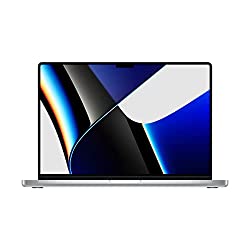
The MacBook Pro 2021 model is available in two sizes: 14″ and 16″. The best part is that both sizes can be outfitted with the fastest hardware. The performance of that fast hardware can then be compared with the best options Intel, Nvidia, and AMD have to offer.
Keep in mind, however, that performance tends to vary depending on the application. Its screen has a mini LED backlight and, owing to the many zones provides excellent HDR reproduction. Unfortunately, the screen’s response times are slow.
It should be noted that the battery life can be disappointing for people who use the laptop for extended periods, and while the entry-level model is still reasonably priced, upgrades are extremely costly. The laptop’s exterior has also been altered, and it now has more practical interconnections.
This is a lovely, sturdy desk. It is incredibly simple to assemble, with only a few pieces that snap together without many tools. You simply screw into the wood from beneath the structure.
This desk is spacious and can fit quite a bit on its surface. It is comfortable in terms of legroom and height. The metal channels in the desk allow you to set the connection bolts without over-tightening or accidentally going through the computer desk.
An Allen Wrench is included, but you’ll need a small hammer or rubber mallet to properly set the legs. However, if you’re on a carpet, expect a little wobble in regard to stability.
This isn’t exactly a surprise because the “feet” (which are essentially anti-scratch pads) are not really separately raised pieces that can completely settle in the carpet. The desk’s design appears to be geared toward solid and flat floors.
The branch ergonomic chair has four points of support (head, hips, back, and hands) as well as proper lumbar support. It’s simple to adjust the height of the seat, the backrest, the headrest, and flip-up arms to suit your needs or preferences, making it ideal for long periods of sitting.
This office desk chair is ideal for people between the heights of 5’5″ and 6’2″. It is bigger than other chairs and can accommodate people of various sizes. You can push the comfortable chair under the desk when you fold the armrests up. By simply pressing the black buttons on the armrest, you can easily lower or raise the folding armrest.
The seat’s mesh back allows for better circulation of air, making it even more comfortable and suitable for long periods of sitting (up to 8 hours). The office computer chair is simple to assemble. With clear instructions and tools, the assembly can be completed within 15-20 minutes. The smooth-rolling PU mute wheels do not scratch wooden floors, and you get both style and durability from the five-pointed chair base of these ergonomic office chairs.
Specifications
Material: Mesh
Color: Black
Brand: GABRYLLY
Model Name: HOC-03
Room Type: Office
Whole Chair Dimensions(including the arms): 25.6″W x 22″D x 45.3″-54.9″H
The HP VH240a 23.8-Inch display features built-in speakers, an ergonomic stand, and an ultra-slim design. For a competitive price, you can make the most out of your time at the office or at home.
The VH240a features a viewing angle of 178° that provides the best quality regardless of where you sit, making it ideal for projects that require landscape and portrait mode screen rotation.
You can also use a mounting pattern (100m VESA) to mount the display on an arm bracket or on a wall depending on your preference. The mounting pattern is on the monitor arm’s back. Using an HDMI cord, you can connect your Mac, Windows, or any other laptop through the HDMI port. The connected PC’s video card must be up to the task of 1920 x 1080 support at 60 Hz.
This monitor’s response time is 5ms, and it has an overdrive that provides a smooth picture with no motion blur. Its integrated audio speakers deliver excellent sound quality for your content at 2 watts for each channel. The frame of the monitor is thin and nearly frameless with 3-sided narrow bezels, allowing for a seamless setup.
Specifications
Special Features: Height Adjustment, Pivot Adjustment, Blue Light Filter, Anti-Glare Coating, Swivel Adjustment, Wall Mountable, Tilt Adjustment, Built-In Speakers
This laptop stand can be adjusted in height and angle to help you maintain a good posture and avoid spine or neck problems. There are no tools required for adjustment. You simply need to pull or push to adjust the stand based on your needs. It can also be folded easily for storage, and it has a built-in handle for convenience when carrying.
It is made of a high-quality aluminum alloy which makes it sturdy and heavy-duty. It can support up to 13 pounds (6 kilograms) without wobbling. The non-slip pads on the holder’s top are made out of silicone, and they keep the computer from sliding and protect it from scratches. Specifically designed for typing, the bottom of the bracket has silicone pads that keep the product steady.
The heat conduction alloy and hollow design of the ventilation work together to keep the computer cool and avoid overheating. The specially processed aluminum alloy material appears delicate and neat, and it is rust-proof, easy to clean, and scratch-proof.
The bottom panel’s storage groove is uniquely designed to provide space for accessories like USB storage, cell phones, iPad pens, a wireless mouse, and stationery like pens, erasers, and staplers.
This multi-purpose laptop stand is perfectly designed for use in a variety of settings, including the office, library, meeting room, kitchen, coffee shop, and music venue, to store laptops, projectors, menus, music books, tablets, magazines, and other items. It’s an incredibly useful present for your family and friends. The laptop riser works with both notebooks and PC computers that have screens between 10 and 17 inches.
Specifications
Brand: DUCHY
Compatible Devices: Laptops
Recommended Use: Laptop
Special Feature: Portable, Adjustable, Wireless, Foldable
Things To Consider When Creating A Work from Home Setup Essentials
When you’re setting up your home office, there are a few things you need to take into account in order to make it an effective space for working. These include:
The space: First, you need to consider the amount of space you have available. If you have a dedicated room that you can use as your office, great! On the other hand, if you’re working with a smaller space, like a corner in your bedroom or living room, you’ll need to be more creative with your storage and furniture choices.
Lighting: Good lighting is important in any workspace, but it’s especially important when you’re working from home and having video calls. Natural light is always the best option, so if you have a window in your office, make sure to take advantage of it! If not, there are plenty of affordable artificial lighting options available such as desk lamps
Furniture: The type of furniture you choose for your home office will depend on the space you have available. If you have a larger space, you can invest in a desk and chair set. If you’re working with a smaller space, you might need to get creative with a folding desk, foldable monitor, or laptop stand.
Storage: No matter what size space you’re working with, storage is always important. You’ll need somewhere to keep all of your office supplies, documents, and other materials. If you have a larger, more airy space, you can invest in a filing cabinet or shelving unit. If you’re working with a smaller space, you can use plastic storage bins or baskets to keep things organized.
Conclusion
If you’re on the hunt for a job-from-home setup, we hope this guide has given you some direction on what to look for to find the ideal option for you. Working remotely can be a great way to strike the perfect balance between work and family life. It’s important to set up your space in a way that is conducive to productivity and efficiency for a peaceful work environment.
Keep in mind all the aspects discussed above when building your workspace. Don’t be afraid to ask questions or compare different setups until you’ve settled on one that fits all your needs and preferences. We wish you all the best in your search for the perfect work from home setup essentials!
There are numerous types of the best men’s desk accessories on the market today. Because of the wide variety of options available, it can be difficult to know which ones are best for you and your needs. In this blog post, we will provide you with a buying guide to help make your decision easier.
We will cover some of the best accessories and discuss the different factors to consider when shopping for cool desk accessories for men. We will also provide tips on how to choose the right products for your needs. Keep reading to learn more!
The 5 Best Men’s Desk Accessories
Here are some popular men’s desk accessories you should consider:
This organizer is designed in a cool-tone style that allows you to have 7 cables organized with just a single clip. It works well with cables that are 6mm or less in diameter.
This organizer works well for audio wires, computer wires, speaker wires, camera cables, twisted headphone cords, internet cables, and more. If you are looking for an effective cable clean-up solution, this is the tool for you.
The organizer is robust enough to handle several cables at the same time, all while maintaining impressive elasticity because it is made of durable silicon material rather than flimsy plastic.
It works on all kinds of surfaces, including wood, plastic, and glass, and it allows you to easily access all of your cables. It gets sticky on the surface you’ve placed it on, allowing for easy handling.
The self-adhesive backing makes it simple to stick and peel off from any desired surface. It is also conveniently mess-free since you can place your cables and cords inside the clip to easily and quickly prevent them from becoming tangled. This means that you can maintain cable organization while conserving as much productive workspace as possible.
This golf pen and pencil holder comes with a set of three aluminum golf club pens. It is a great gift for men who are fans of golf. This golf bag pen holder comes with three high-quality golf club ink pens made out of aluminum alloy and green plastic. Different pens are filled with different ink colors.
There is red ink in the 6″ L driver pen, blue ink in the 5.75″ L putter pen, and black ink in the 5.75″ L wedge pen. The one-of-a-kind golf club pen will look great on any desk or in any office space.
The golf bag holder with trolly measures 13.0*8.0*5.0cm in size. It has an ergonomic retro design made of high-quality soft PU leather. It also features one small zipper storage area for keys, snaps, notepaper, erasers, and other small items.
The simulated golf cart handles and its working rubber wheels can be adjusted to flatly fit on any desk. For dedicated golf fans, the one-of-a-kind golf pen holder can also be used as a novelty desk gift, husband gift, anniversary gift, golf desk toy, Christmas gift, Father’s Day gift, or souvenir. The golf pen holder is a stylish addition to any home or office.
Specifications
Package Dimensions: 8.1 x 5 x 2.9 inches
Package Weight: 0.36 Kilograms
Item Dimensions: 5.12 x 3.15 x 1.97 inches
Item Weight: 12.6 Ounces
Brand Name: 10L0L
Model Name: 00231-A
Color: Silver + Black
Material: PU leather, zinc-aluminum alloy
Part Number: A03-C0552-B02
Included Components: Golf Pen Holder w/3 Pieces Golf Club Pens
This Din Djarin pen holder/helmet planter is inspired by the Star Wars Mandalorian TV series. It has a custom compact design that is bold and sure to stand out. You can use it as either a pen holder or as a stylish planter for your desk.
This is a great gift for someone who is a fan of the Mandalorian TV show series. This accessory has been licensed officially and is 100 percent authentic, which makes it an ideal gift. It is made out of high-quality, durable ceramic material.
When you get this helmet planter or alternative pen holder, you’ll add a fun atmosphere to your living space or well-organized workspace. If you choose to use it as a planter, you can have it in your home or office, and if you prefer to use it as a pen holder, you can place it on your desk.
The accessory is designed and sculpted to look exactly like Din Djarin’s helmet from the Mandalorian YV show series. Its measurements are 100mm x 110mm x 125mm, and it can be cleaned easily with a cloth that is damp.
This pencil cup organizer for your desk is made of sturdy metal, and it has a dark gray metal finish. This accessory is in the shape of a metal man holding an electric guitar, with a pencil holder next to it. It will make your desk more tidy, organized, and comfortable.
Markers, pens, and other office supplies fit perfectly in the metal barrel-shaped cup. It serves as both a storage solution and a form of desktop decoration, making sure that your office supplies are convenient and accessible on your table.
The minimalist design and classic dark gray finish are timeless and can be mixed and matched with the majority of deco styles for homes. The lovely and functional contemporary design will make a great gift for your friends.
The DIY magnetic ball can help you sort things out while also boosting your creativity and intelligence. It’s simple to put together and doesn’t require any special tools. Infinite combinations are possible if you have some creativity and patience.
For special occasions, this is a great low-cost gift for families and friends. The balls are creative desk toys that you can use to create different shapes to help ease stress and improve your patience and creativity.
It comes in a compact, portable size that makes it easy to move around. It can also be used as a cool office desk or home decoration. Essentially, this is a cool toy that makes a great adult gift. The silver balls on this accessory are not magnetic, but instead are made of stainless steel. They are however not ideal for children under the age of 14.
Things To Consider When Shopping For Best Men’s Desk Accessories
When shopping for desk accessories for men, there are a few things you’ll want to take into account. Below, we outline some of the key factors you should consider before making your purchase.
– The type of desk accessory: There are a variety of different types of desk accessories available on the market. Before making your purchase, think about what type of accessory you need. For example, do you need a paperweight or a stapler?
– The material: Desk accessories are available in a variety of different materials. Some of the most popular options include wood, metal, and plastic. Consider the material that would best suit your needs and style.
– The price: Desk accessories can range in price from a few dollars to hundreds of dollars. Before making your purchase, consider your budget and what you’re willing to spend.
– The style: Office desk accessories for men come in a variety of different styles. When choosing an accessory, think about the overall style of your desk and home office. For example, if you have a modern desk, you might want to choose a contemporary paperweight or something that matches a statement color in your office.
– Your personal preferences: When it comes to the coolest desk accessories, there are no hard and fast rules. Ultimately, you’ll want to choose an accessory that you like and that suits your needs. With so many options available, you’re sure to find the perfect accessory for your space.
FAQs
How do I choose the right desk accessory for my office?
The best way to choose the right desk accessory for your office is to consider what type of atmosphere you want to create. If you want a more relaxed and laid-back environment, then go with lighter colors and materials. If you prefer a more serious and professional tone, then opt for darker colors and metals.
What are some common desk accessories for men?
There are many different types of desk accessories for men, but some of the most popular include pens, paperweights, staplers, rulers, and desk lamps. The best way to find the perfect accessory for your office is to browse through a variety of different stores and see what catches your eye.
What is the best way to store desk accessories?
The best way to store desk accessories is in a drawer or on a shelf. This will help you keep your office organized and tidy. Desk accessories can also be stored in a box or on a tray. If you have a lot of desk accessories, then it might be best to invest in a storage system that can be hung on the wall or placed on a desk.
Where can I find desk accessories for my office?
You can find desk accessories for your office at many different stores, both online and offline. Some of the best places to look include office supply stores, home goods stores, and even some department stores.
How much should I expect to spend on a perfect desk accessory?
The price of an office desk accessory will vary depending on the type, material, and brand; however, you can typically expect to spend anywhere from $20 to $100 on a quality desk tech accessory.
Are there any special care instructions for desk accessories?
Most desk accessories do not require any special care or maintenance. However, if you have a cool metal desk accessory, you may want to occasionally wipe it down with a damp cloth to prevent any potential tarnishing.
Conclusion
If you are in the market for a new desk or just need some accessories to spruce up your work area, we hope this guide has been helpful. We’ve included a variety of options at different price points so that you can find the perfect set-up for your needs.
Remember to consider what type of work you do and how much space you have before making your purchase. Most importantly, have fun with it! A stylish and organized desk can help boost your productivity and creativity.